Managing Konek Groups
Create, organise, and maintain member groups
Using groups allows for targetted announcements based on programs, syllabuses and ranks.
Here's how to create and manage groups...
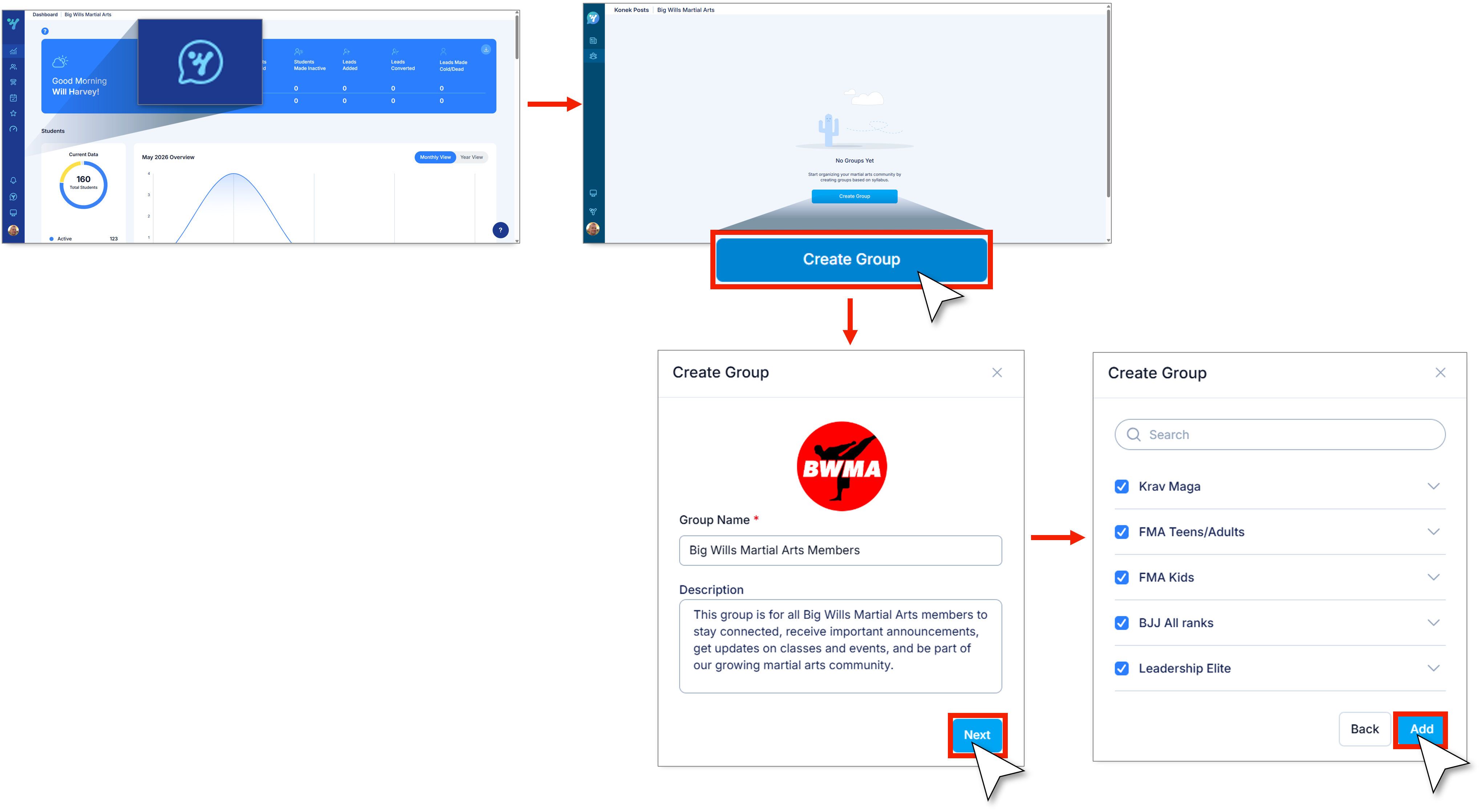
1. Navigate to Konek.
2. Select Groups.
3. Click on Create Goup.
4. Input Group Name and Description.
5. You can upload an image (this is optional).
6. Click Next.
7. Select the syllabus and ranks for your group.
Note: You may select more than one syllabus for your group.
8. Click Next.
9. Click Add to finish.