Create an Automation
This will show you how to select your trigger, choose your conditions and set your actions
This atricle will show you the steps to creating your first automation. To understand what automation can be used for, watch the Understanding Automation in AXIS video.
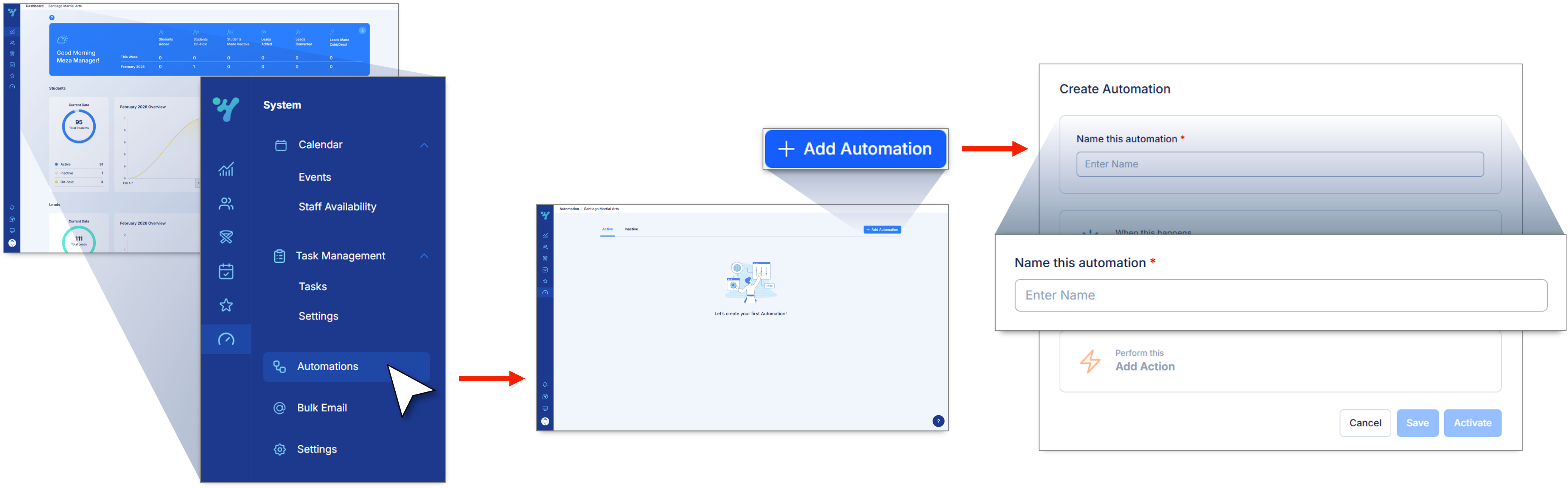
Here's how to create an automation...
1. Navigate to the Systems.
2. Select Automations.
3. Click on Add Automation.
4. Input Automation Name.
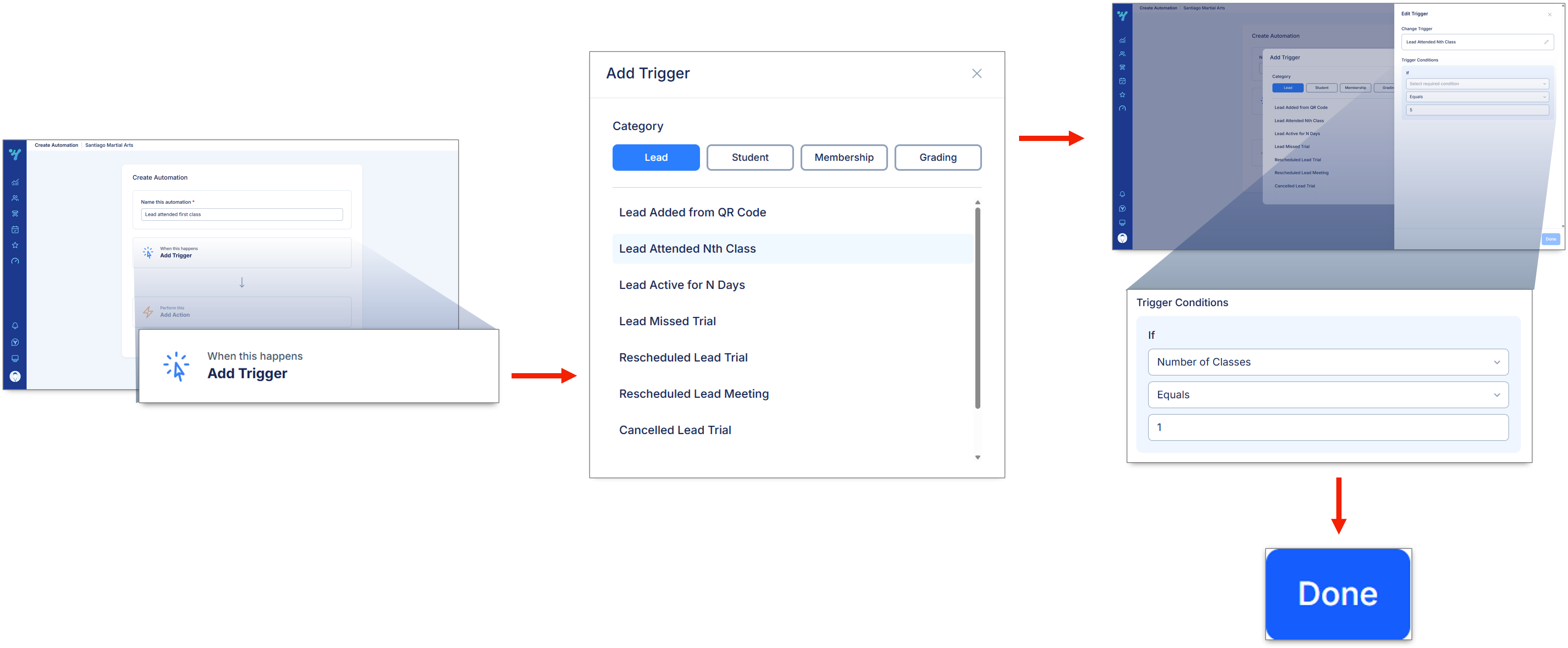
Set up your trigger...
1. Click Add Trigger.
2. Select a Category and Trigger.
3. If applicable, add Conditions.
4. Click Done.
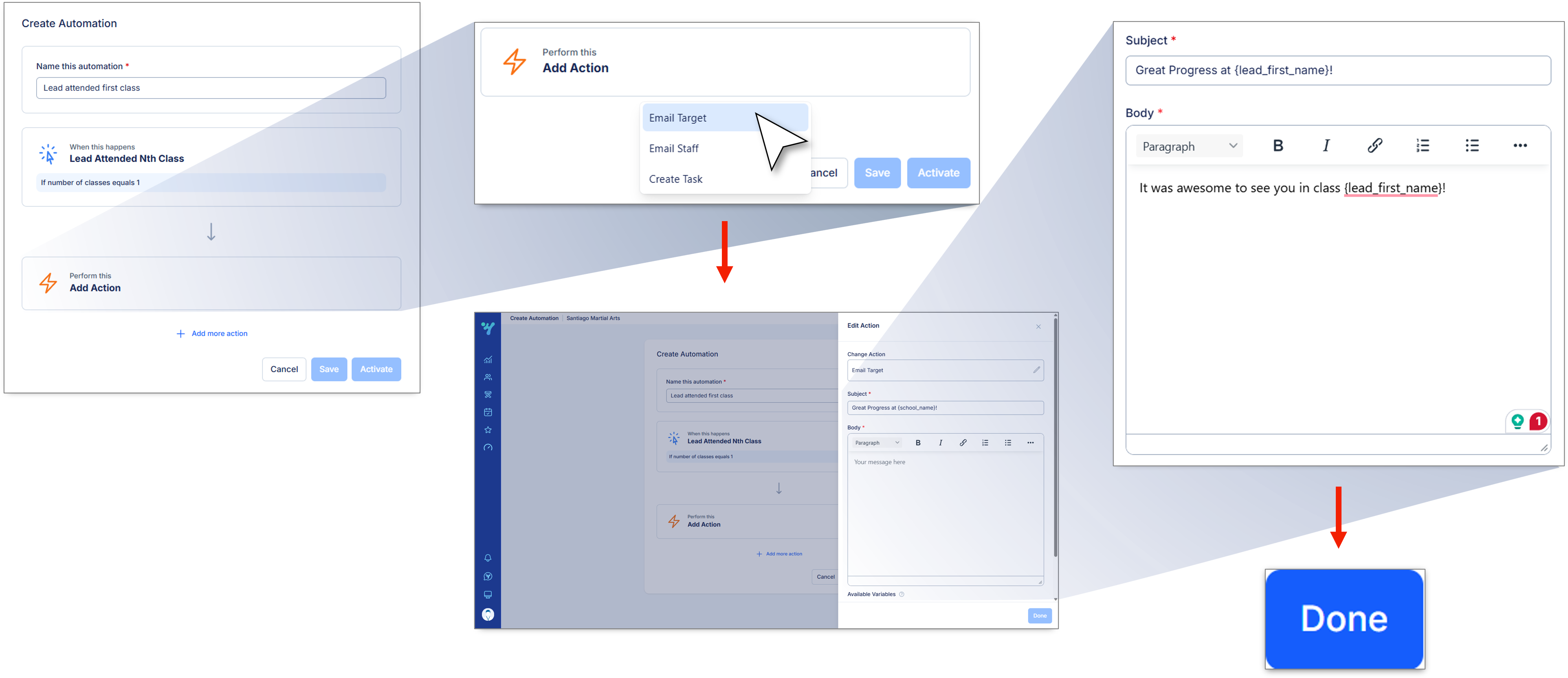
Set up your actions...
1. Click Add Action.
2. Select action type.
3. Input necessary information in the required fields.
4. Click Done.