Connecting Memberships to the Konek App
Once connected to the Konek app, membership owners can check students in to class, monitor grading progress, view instructor feedback, receive announcements, and update payment details all in one convenient app. The membership owner will see all memberships they own, for example an adult student with two children also training will see student information for all three of them.
So how do your students connect to the app?
Here is a handy guide you can download and email to students or print out and keep in your reception area. Each membership owner will have a unique registration code.
How do they get the code?
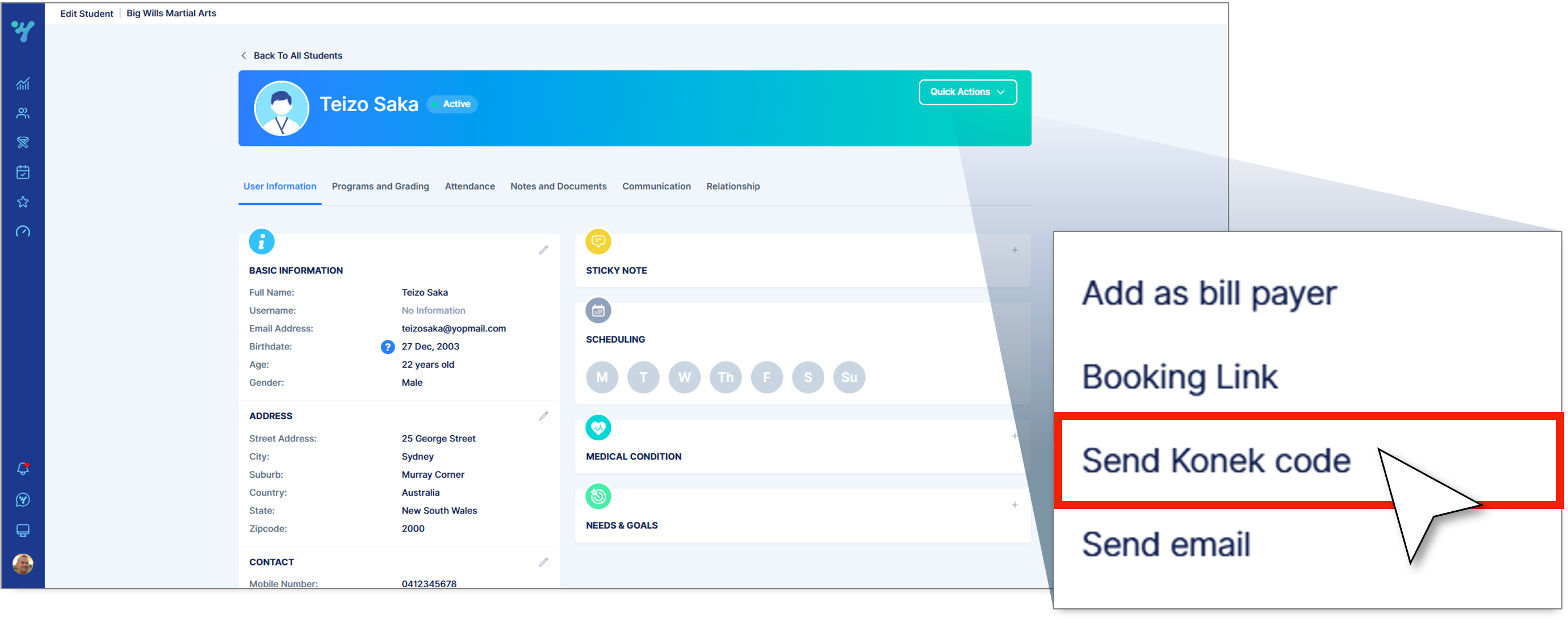
When you create a new membership, the bill payer will automatically receive their unique code via email. If you have just joined Premium, or for any reason your membership owner could'nt find the email, you can resend the code from the Quick actions menu on the student profile.