Create Announcements
Share important updates with your school members in one place.
Create and post announcements to send news, reminders, events, promotions, or urgent notices directly through the AXIS Konek app so your community stays informed and engaged.
Here's how to create announcements...
Ensure that your school is subscribed to an AXIS Premium plan.
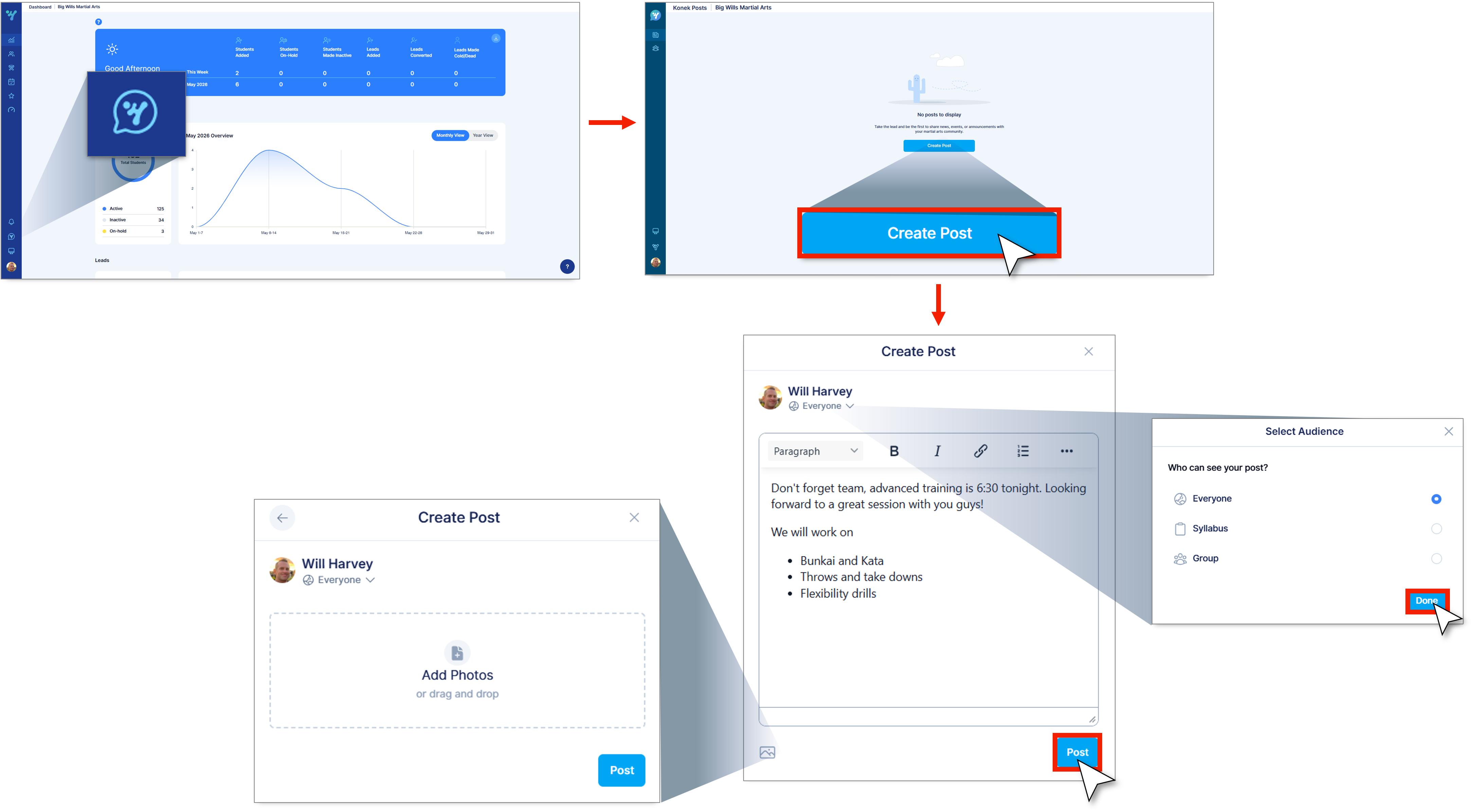
1. Navigate to Konek.
2. Click Create post.
3. Enter the details for your announcement in the text field.
4. Choose your post audience (to find out about Groups click here).
Note: You can also add an image to your post by clicking the image icon.
5. Click on Post.